




Best AI Lab Setup for Universities in the UAE
Teacher training is part of an effective lab setup, not an optional add-on. A strong AI Lab Setup for Universities plan connects educator development with the curriculum and equipment; one AI and robotics makerspace package includes 15 days of teacher development, including induction and refresher training.
Universities need more than hardware and software to establish an effective AI lab. Educators must be prepared to bring AI and IoT concepts into teaching and practical projects. This guide explains how training, curriculum goals, lab requirements, coding software and AI project tools fit together.
You’ll learn what to consider when planning the space, aligning it with learning outcomes and choosing tools for hands-on work. These steps provide a clearer foundation for shaping a university lab around its academic priorities and future ambitions.
Key Takeaways
- Plan educator development alongside the lab so teaching teams can confidently connect equipment to coursework and student projects.
- Use discovery and needs assessment to shape recommendations around academic priorities, existing resources and the intended learning experience.
- Align the lab’s layout, equipment and curriculum goals to the university’s disciplines and the students who will use the space.
- Choose coding software and AI project tools for how they support practical learning, progression and the lab’s intended outcomes.
Do you provide teacher training for implementing AI and IoT Lab?
Yes. Teacher training should connect lab equipment with curriculum, coding practice, AI literacy and responsible AI. A described AI and Robotics Makerspace package includes 15 days of educator development, covering induction and refresher training. For university teams, sessions can use practical examples, such as guiding students from a sensor exercise to an AI project and lesson.
Installation support in the UAE can cover equipment installation, teacher training, troubleshooting, warranty coordination and after-sales service. A structured handover helps educators connect devices, software and project activities before teaching begins. Ongoing support can address issues as they arise, such as a workstation failing to communicate with a robotics kit. Clear operating instructions also help staff maintain continuity between lessons.
Before projects begin, establish university rules for data access, storage, retention and responsible use, including requirements for privacy, cybersecurity and AI ethics. Apply the university’s approved UAE compliance framework, with controls suited to the data and systems involved.
The right lab setup depends on each university’s academic priorities, intended projects, available space and existing infrastructure. Define these requirements first, then map equipment, software, installation, training and support needs to the plan.
Running an AI lab calls for educators who can teach coding and AI concepts, as well as technical staff who can manage devices, software and connectivity. Assign clear responsibility for troubleshooting workstations, maintaining project equipment and supporting lessons.
Potential funding routes include university research or innovation budgets and project partnerships with public-sector or industry organizations. Match the lab proposal to each sponsor’s published priorities, eligible activities and partnership requirements.
Key operational risks include equipment faults, unsafe use, weak maintenance routines and mishandled project data. Set procedures for equipment use, routine checks, access permissions and incident reporting. A named technical lead and trained teacher can help organize daily lab activity.
Discovery, recommendations and solution design
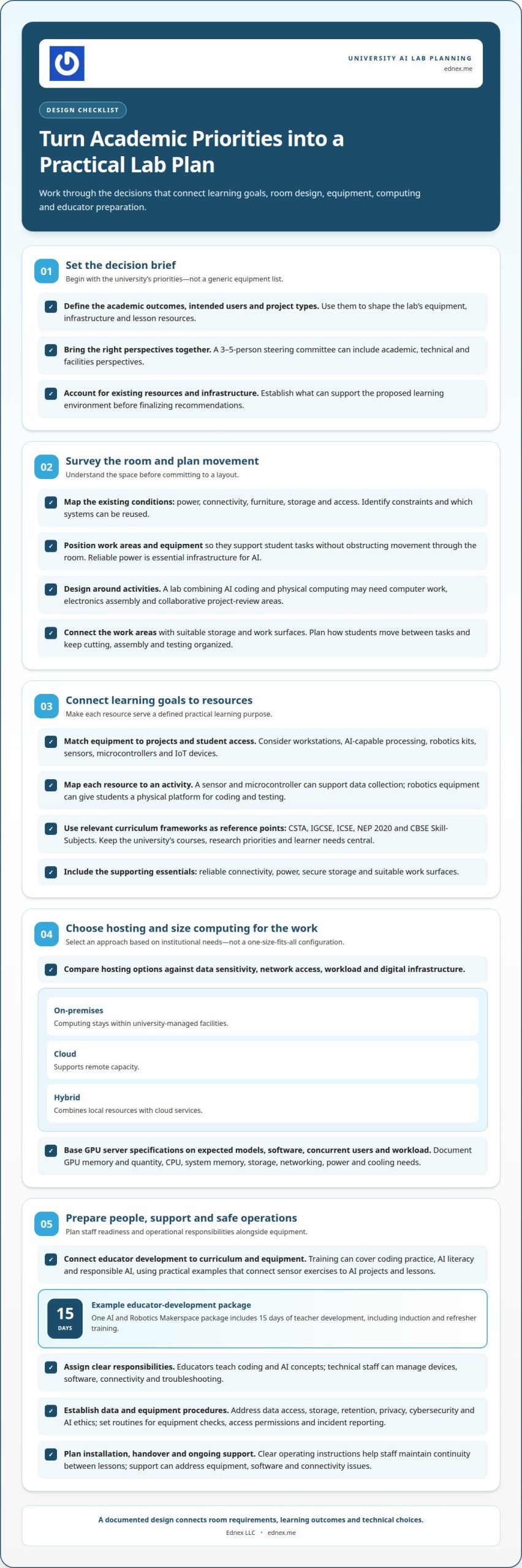
Discovery turns academic priorities into a practical brief for equipment, space and digital infrastructure. A 3-5-person steering committee can bring academic, technical and facilities perspectives into the decision.
Room Survey and Lab Layout
A room survey maps existing power, connectivity, furniture, storage and access before the design is finalized. Use the assessment to identify constraints, plan work areas and position equipment without obstructing movement through the room. Reliable power is essential infrastructure for AI, according to the United Nations. The survey should also establish which existing systems can support the proposed learning environment.
Project Area Design
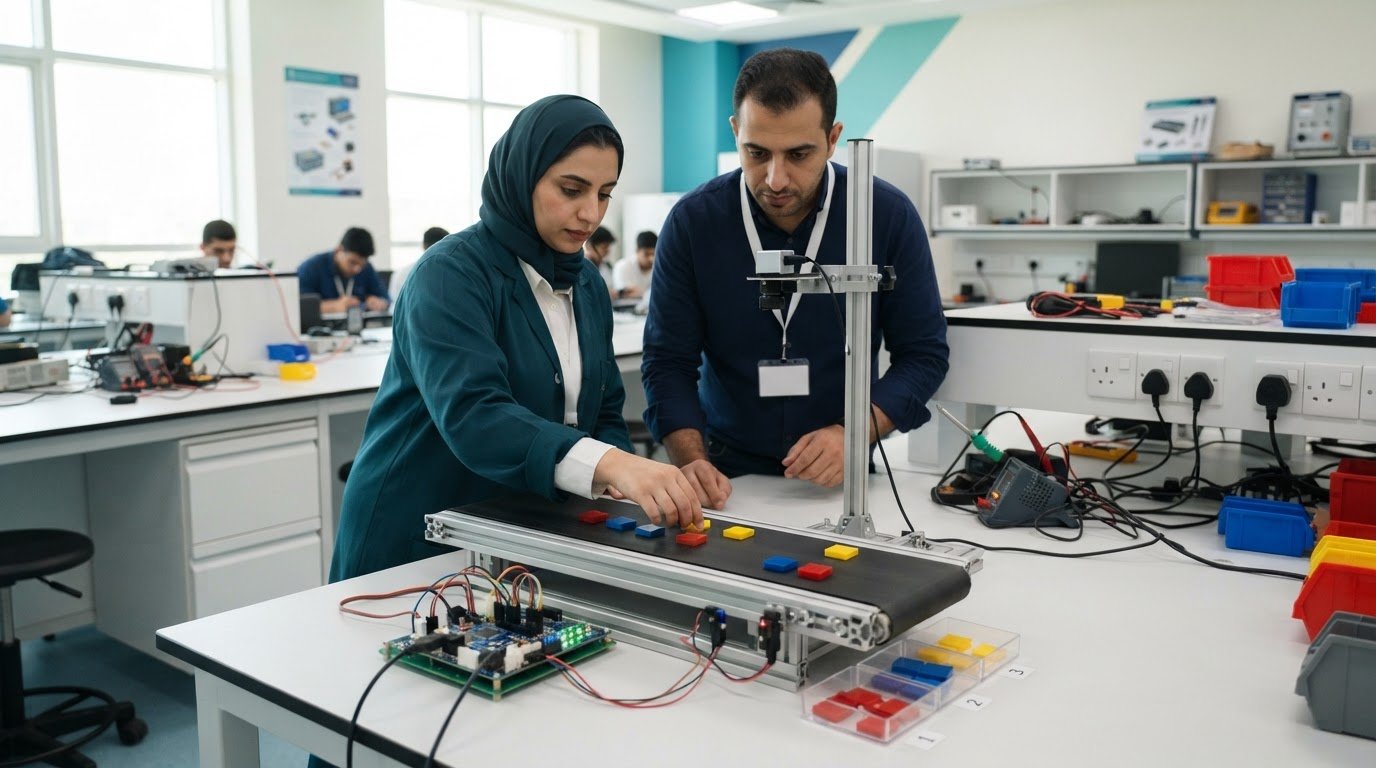
Plan project areas around what students will do, not just the equipment they will use. A university combining AI coding with physical computing, for example, may need separate spaces for computer work, electronics assembly and collaborative project reviews. Connect these activities through suitable storage and work surfaces. The room plan should show how students move between tasks and keep cutting, assembly and testing organized.
Hardware and Hosting Recommendations
Hosting choices depend on data sensitivity, network access, workload and the university’s digital infrastructure. An on-premises setup keeps computing within university-managed facilities; cloud hosting supports remote capacity; a hybrid design combines local resources with cloud services. Map the options to the intended projects and institutional requirements.
GPU server specifications should follow the expected models, software, concurrent users and workload. Recommendations should identify GPU memory and quantity, CPU, system memory, storage, networking, power and cooling needs, without treating one configuration as suitable for every lab. For higher education lab planning, a documented design can connect room requirements with technical choices.
Planning lab needs and curriculum goals
Start with the academic outcomes, then map equipment, infrastructure and lesson resources to them. This ties each lab investment to a defined learning purpose.
Equipment and Infrastructure Needs
Plan computing workstations, AI-capable processing, robotics kits, sensors, microcontrollers and IoT devices around the projects, software and student access model. Avoid relying on a generic equipment list. Reliable connectivity, power, secure storage and suitable work surfaces support practical work throughout the lab.
For curriculum planning, connect each resource to an activity. A sensor and microcontroller can support data collection, while robotics equipment gives students a physical platform for coding and testing. Curriculum frameworks such as CSTA, IGCSE, ICSE, NEP 2020 and CBSE Skill-Subjects can inform lesson resources, where relevant to the institution’s programmes. A university curriculum should still reflect its own courses, research priorities and learner needs.
Launch Planning and Funding
Launch planning starts by defining academic objectives, intended users, project types and existing campus resources. The provider can translate these decisions into a phased plan covering equipment, installation, curriculum resources, staff preparation and operational responsibilities. This gives university teams a clear basis for assessing scope and coordinating academic, facilities and technical requirements.
Plan funding through the university’s internal budgeting process, research or innovation priorities, and relevant institutional or industry partnerships. Link proposed equipment and learning activities to university objectives, separating essential infrastructure from later expansion. Any grant or partnership proposal must match the funder’s eligibility rules and priorities. The launch plan should also identify who maintains equipment, supports classroom use and reviews lesson resources as programmes develop.
Coding software and AI project tools
A university robotics lab needs a software environment suited to its learning goals, devices and project workflow. For an AI Lab Setup for Universities, map each course activity to a tool: students might write code, collect sensor readings, train a model, then test its output through a robot or IoT device. This sequence makes software selection serve a clear academic outcome.
When choosing coding tools, assess whether they support the languages and programming approaches used in courses. A visual interface can introduce logic, while text-based coding can support more advanced development. Python is one example used for coding and data work. The choice also depends on how the software connects to lab computers, microcontrollers, sensors and robotics equipment.
AI project tools should guide students through a clear process, from preparing data to evaluating results. For example, a project could use sensor readings to classify environmental conditions, then display a response through an IoT device. Educators can use the work to teach data quality, model limitations and responsible interpretation, rather than treating a prediction as automatically correct. A robust AI Lab Setup for Universities also connects these tools to course outcomes and project workflows.
- Check compatibility with lab computers and robotics hardware.
- Match tool complexity to course outcomes and student experience.
- Review licensing, user access and data handling requirements.
- Plan how projects can be saved, assessed and continued across lessons.
Integration matters. A disconnected collection of coding applications, devices and AI tools can make projects harder to teach and maintain. A coherent setup lets students move from coding to physical testing, while educators prepare lessons around consistent workflows. For example, a robotics task can combine sensor input, a coded decision and observable movement, making the link between software and hardware tangible.
Define the software and project requirements alongside the lab design, then plan your university robotics lab around the courses and projects it must support.
Ednex
Ednex LLC helps universities turn academic priorities into practical learning environments and programs. Its higher education and Future Science Lab Setup capabilities support planning that connects equipment, curriculum and hands-on learning for an AI lab.
Universities can also consider how STEAM Programs, Arduino Education and Robotics and Coding for schools fit their teaching goals. Arduino activities can connect coding with physical computing, while robotics projects give students opportunities to apply concepts through practical work. Choose a combination that suits the institution’s courses, learners and intended projects.
Bring your academic objectives, proposed projects and existing resources to the planning discussion. Contact Ednex LLC to discuss your university’s lab requirements and learning goals.
Shape the Next Phase of University Learning
A university AI lab can be more than a dedicated space. It can support new teaching approaches, interdisciplinary projects and stronger connections between digital concepts and practical work. A considered AI Lab Setup for Universities starts with clear institutional direction and develops as academic priorities and student projects evolve.
Ednex LLC offers STEAM Programs, Robotics and Coding for schools, and Arduino Education to support hands-on learning that links coding, robotics and physical computing. For universities planning their next step, the priority is to align learning activities with wider educational goals.
Bring your priorities and proposed lab direction into a conversation with Ednex LLC. Contact Ednex LLC about your lab to discuss how your plans can move forward. Your next learning environment can help turn ambitious ideas into meaningful student experiences.
Frequently Asked Questions
What age or grades do the AI & IoT Lab and curriculum cater to?
There isn’t one fixed age range for every AI and IoT lab; activities should match learners and curriculum goals. School pathways can include coding corners for Pre-KG to Grade 2, primary STEM activities for Grades 3 to 8, and secondary robotics for Grades 9 to 12. University programs extend beyond these school bands, with project depth shaped by course level and discipline.
What is AI and IoT Lab for Schools?
An AI and IoT lab for schools gives students a place to explore artificial intelligence, connected devices, coding and robotics through practical activities. For example, students might program a device to collect sensor data, then use that information in a project. Age-appropriate challenges can build computational thinking and engineering skills, rather than presenting technology as a set of disconnected demonstrations.
How can a professional provider design a university AI lab for teaching, research, and student projects?
A professional provider can shape the design around how faculty and students will use the space. Teaching may call for shared demonstrations, while research can require dedicated project work areas and student teams may need flexible collaboration space. The provider can map these activities to room access, equipment placement and storage, then develop a layout that supports supervised classes and independent project work.
How can a provider select software, cloud platforms, and AI tools for a university AI lab?
A provider can compare tools against the university’s courses, research workloads, devices and data-handling requirements. For example, a course using connected sensors needs software that works with the selected hardware and supports the intended coding workflow. The evaluation should also consider user access, licensing, compatibility with campus systems, project sharing and how students can document or reproduce results.
Related Posts ...



Comments are disabled