

Laser Cutter vs 3D Printer for a School Design Lab: Which Should You Buy First?
The decision between a laser cutter and a 3D printer defines the production capacity, material scope, and instructional reach of any school design lab. Schools establishing a new fabrication facility or expanding an existing one face a procurement choice that influences budget allocation, student throughput, and curriculum coverage. This article defines both fabrication tools within the educational context, compares them across six operational criteria, and presents a recommendation framework that maps each tool to defined institutional objectives. Readers will gain a structured reference for selecting the equipment that aligns with curriculum goals, budget parameters, and intended learning outcomes.
Defining the Two Core Design Lab Tools
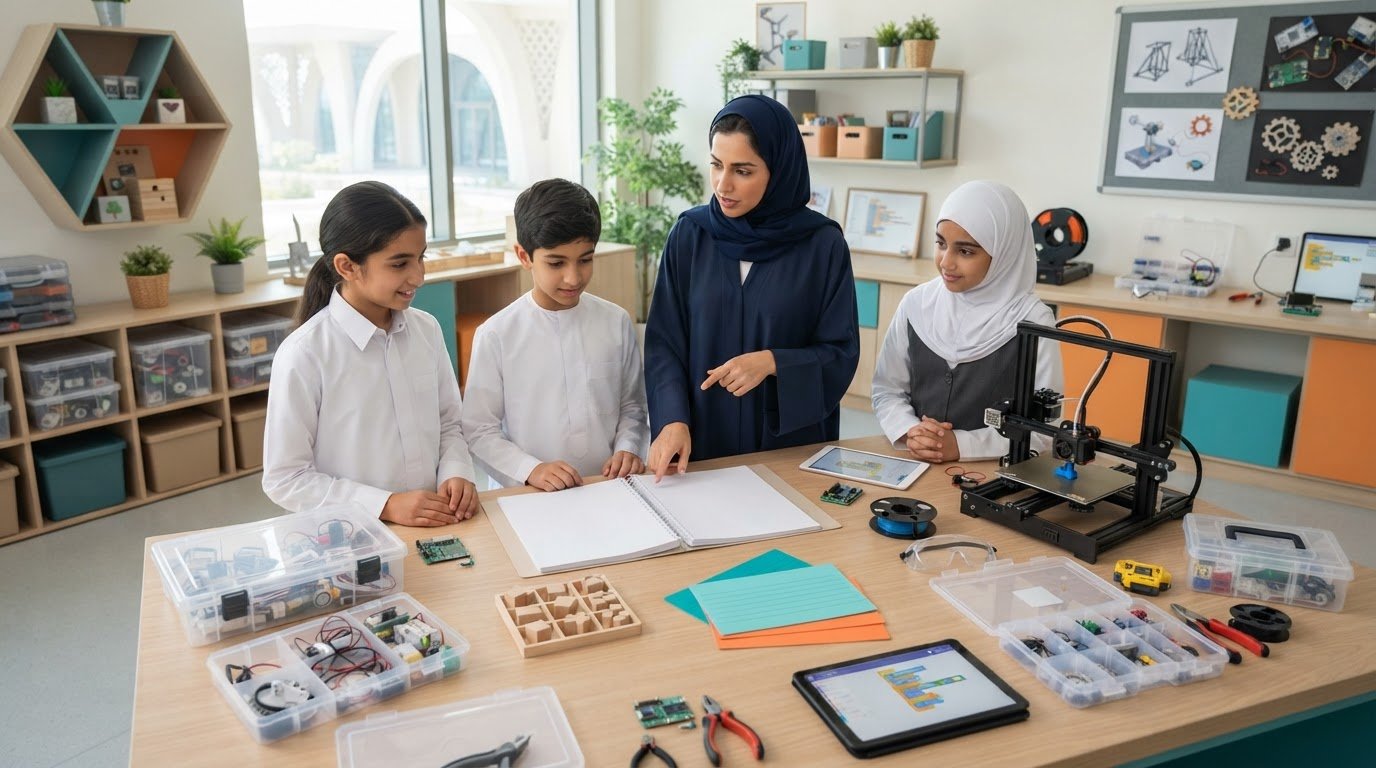
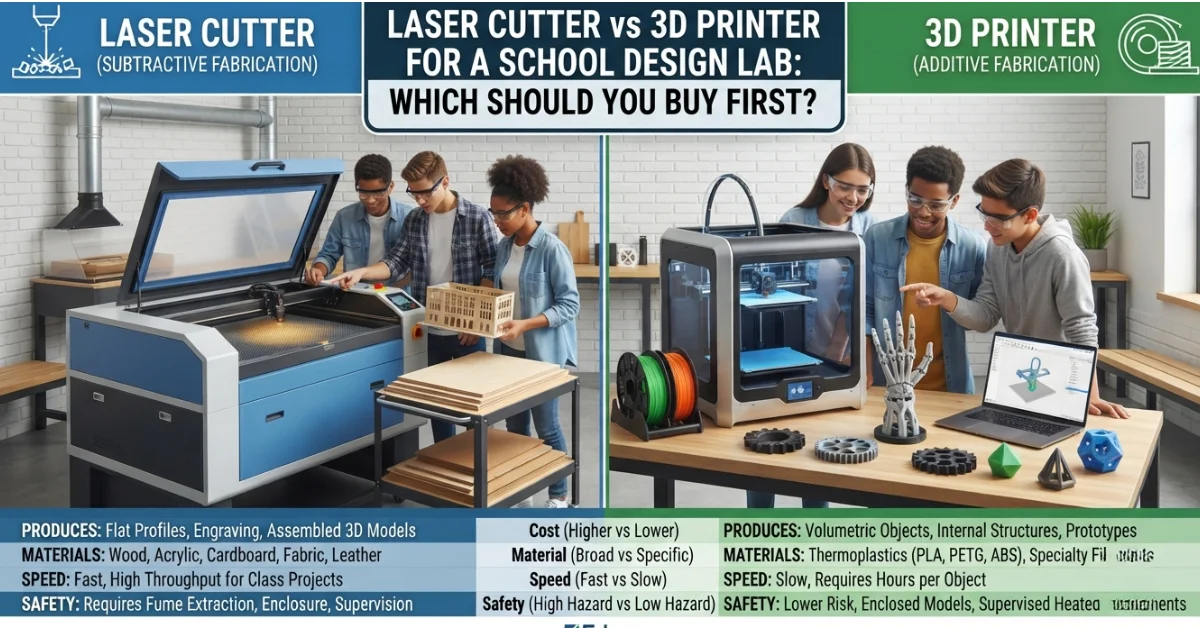
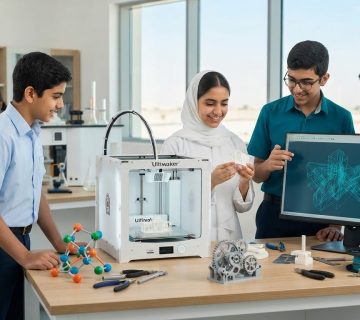
A laser cutter is a subtractive fabrication machine that uses a focused beam to cut and engrave flat sheet materials with high precision. A 3D printer is an additive fabrication machine that builds three-dimensional objects layer by layer from digital models. The two tools occupy distinct positions within the category of Design Lab Tools, and their differences govern the experiments and projects each one supports.
These machines perform the following instructional functions:
- Cut flat materials into precise two-dimensional profiles (laser cutter).
- Engrave surface detail onto sheet stock for labeling and decoration (laser cutter).
- Build complex three-dimensional geometries from digital designs (3D printer).
- Prototype functional parts with internal structures and moving components (3D printer).
- Translate computer-aided design files into physical artifacts (both).
The fundamental distinction rests on process direction. The laser cutter removes material to produce flat or assembled components, while the 3D printer adds material to produce volumetric objects. Consequently, the Laser Cutter vs 3D Printer decision determines not only which equipment a lab installs first, but which design competencies students develop earliest.
Cost Comparison
Cost encompasses both the capital acquisition expenditure and the recurring operational outlay across the equipment lifecycle. The two tools present distinct cost profiles that influence the initial procurement sequence.
- 3D printers: Entry-level and mid-tier desktop units carry lower acquisition costs, with filament consumables that remain inexpensive per project.
- Laser cutters: Comparable education-grade units carry higher acquisition costs, with additional expenditure for ventilation, extraction, and sheet material stock.
Furthermore, the total cost of ownership extends beyond the purchase price. The 3D printer for schools requires periodic nozzle and build-plate replacement, while the laser cutter requires lens cleaning, mirror alignment, and eventual laser tube replacement. Additionally, the laser cutter’s mandatory fume extraction system represents an infrastructure cost that the 3D printer does not impose at equivalent scale.
Material Compatibility
Material compatibility refers to the range of substrates each tool can process within a school environment. The breadth of compatible materials determines the diversity of projects a design lab can support.
- Laser cutter: Processes acrylic, plywood, MDF, cardboard, paper, fabric, leather, and select engravable surfaces.
- 3D printer: Processes thermoplastic filaments including PLA, PETG, and ABS, with specialty filaments for flexible and composite applications.
Moreover, the laser cutter operates exclusively on flat sheet stock, which constrains output to two-dimensional profiles and assembled three-dimensional constructions. The 3D printer produces fully volumetric geometries that no sheet-based process can replicate. Each tool therefore addresses a material domain that the other cannot reach, which positions them as complementary rather than interchangeable.
Safety Considerations
Safety refers to the risk profile of each tool within an instructional environment populated by students of varying experience. Safety capability constrains the supervision model and the infrastructure each tool requires.
- 3D printer: Presents lower-hazard operation, with heated components as the primary risk and enclosed models that limit direct contact.
- Laser cutter: Presents higher-hazard operation, with a focused beam, fire risk, and combustion fumes that demand active extraction and constant supervision.
Furthermore, the laser cutter requires interlocked enclosures, fire suppression provisions, and material restrictions that exclude substrates producing toxic emissions, such as PVC. The 3D printer requires adequate ventilation for filament fumes and supervision around heated surfaces, but it permits a less restrictive access model. Consequently, the 3D printer suits younger cohorts and open-access scheduling, while the laser cutter demands a controlled, supervised operating protocol.
Ease of Use
Ease of use refers to the technical threshold a student must cross to design, prepare, and produce an artifact. This threshold influences how quickly students achieve independent operation.
- 3D printer: Requires model preparation through slicing software, with a moderate learning curve and extended unattended print cycles.
- Laser cutter: Requires two-dimensional vector design, with rapid setup and immediate, observable cutting once material is loaded.
Moreover, the laser cutter delivers near-instant feedback, which sustains student engagement during a single class period. The 3D printer’s longer cycle times require project scheduling that spans multiple sessions. Both tools depend on computer-aided design proficiency, though the laser cutter’s two-dimensional workflow presents a lower initial barrier for early-stage learners.
Curriculum Alignment
Curriculum alignment refers to the correspondence between tool capability and the practical requirements of design, technology, and STEM coursework. Each tool reinforces distinct competencies.
- Laser cutter: Supports architectural modeling, packaging design, signage, and rapid assembly of flat-pack structures.
- 3D printer: Supports product design, engineering prototyping, geometric modeling, and functional component development.
Furthermore, the laser cutter aligns closely with design and technology programs that emphasize two-dimensional drafting and assembly. The 3D printer aligns with engineering and product design curricula that emphasize spatial reasoning and iterative prototyping. Schools delivering integrated STEM programs benefit from both, though the curriculum’s primary emphasis determines which tool delivers greater early instructional value.
Speed and Throughput
Speed refers to the production rate and the resulting student throughput each tool achieves within scheduled sessions. Throughput directly affects equipment-to-student ratios and project turnover.
- Laser cutter: Completes most cuts within minutes, supporting high throughput across a full class.
- 3D printer: Requires hours per object, which constrains throughput and necessitates queued or overnight printing.
Additionally, the laser cutter’s rapid cycle permits an entire cohort to produce artifacts within a single session, which reduces shared-equipment bottlenecks. The 3D printer’s extended cycles limit the number of students who complete a print within one class, though batch printing and multi-unit deployment partially offset this constraint.
Recommendation Framework: Which to Buy First
A structured framework aligns the purchase sequence with institutional objectives, budget parameters, and curriculum emphasis. Schools evaluating School Design Lab Equipment should match the first acquisition to their primary instructional goal.
- Buy the 3D printer first when the objective centers on engineering, product design, and functional prototyping. The lower entry cost, reduced safety infrastructure, and volumetric output suit institutions establishing a foundational design program for mixed age groups.
- Buy the laser cutter first when the objective centers on architectural modeling, high-throughput class projects, and rapid assembly work. The fast cycle time and broad sheet-material range suit institutions prioritizing whole-cohort engagement within single sessions, provided the budget accommodates extraction infrastructure.
- Buy both in phases when budget and space permit. A common sequence introduces the 3D printer first to establish design fundamentals at lower cost and risk, followed by the laser cutter to expand material scope and throughput.
The recommended starting point for most schools is the 3D printer, owing to its lower capital cost, reduced safety burden, and accessibility across age groups. Institutions with strong design and technology programs and adequate ventilation infrastructure may reasonably reverse this sequence. Procurement should align each acquisition with documented learning outcomes, anticipated student throughput, and long-term maintenance capacity.
Conclusion
The selection between a laser cutter and a 3D printer shapes the cost structure, material scope, safety profile, ease of use, curriculum alignment, and throughput of every school design lab. The 3D printer delivers lower-cost, lower-risk, volumetric fabrication suited to engineering and product design. The laser cutter delivers high-speed, broad-material, sheet-based fabrication suited to architectural modeling and whole-class projects. A structured framework aligned with curriculum emphasis, budget, and safety capacity positions schools to select the optimal first acquisition, and a phased deployment of both tools serves the complete range of design instruction.
Ednex designs and equips school design labs with 3D printers, laser cutters, and complete fabrication solutions, aligning equipment specifications, safety infrastructure, and curriculum support with learning outcomes, accreditation standards, and budget parameters. Contact Ednex today to plan a design lab matched to your school’s objectives.
Frequently Asked Questions
What is the difference between a laser cutter and a 3D printer?
A laser cutter is a subtractive machine that uses a focused beam to cut and engrave flat sheet materials, while a 3D printer is an additive machine that builds three-dimensional objects layer by layer. The laser cutter removes material to produce flat profiles, and the 3D printer adds material to produce volumetric objects.
Which should a school buy first, a laser cutter or a 3D printer?
Most schools benefit from purchasing the 3D printer first, owing to its lower capital cost, reduced safety infrastructure, and accessibility across age groups. Schools with strong design and technology programs and adequate ventilation may reasonably prioritize the laser cutter for its speed and material range.
Is a 3D printer safer than a laser cutter for schools?
Yes. A 3D printer presents lower-hazard operation, with heated components as the primary risk. A laser cutter introduces a focused beam, fire risk, and combustion fumes that require active extraction, interlocked enclosures, and constant supervision.
What materials can a laser cutter process in a school design lab?
A laser cutter processes acrylic, plywood, MDF, cardboard, paper, fabric, leather, and engravable surfaces. Schools must exclude materials that produce toxic emissions, such as PVC, to maintain safe operation.
What materials does a 3D printer use in schools?
A 3D printer for schools commonly uses thermoplastic filaments including PLA, PETG, and ABS. Specialty filaments support flexible and composite applications for advanced projects.
Which tool is faster for class projects?
A laser cutter is significantly faster, completing most cuts within minutes and supporting high throughput across a full class. A 3D printer requires hours per object, which constrains throughput and often necessitates queued or overnight printing.
Which tool aligns better with STEM curriculum?
Both tools support STEM instruction. A 3D printer aligns with engineering and product design through spatial reasoning and prototyping, while a laser cutter aligns with architectural modeling and assembly. The curriculum’s primary emphasis determines which delivers greater early value.
Can a school operate both a laser cutter and a 3D printer?
Yes. A phased configuration commonly introduces the 3D printer first to establish design fundamentals at lower cost and risk, followed by the laser cutter to expand material scope and throughput. This dual approach serves the complete range of design instruction.
Author Bio
Ednex is a provider of educational laboratory and learning-space solutions specializing in design, fabrication, and STEM environments. Ednex designs and equips school design labs with 3D printers, laser cutters, and complete fabrication systems, aligning equipment specifications, safety infrastructure, and curriculum support with learning outcomes, accreditation standards, and budget parameters. Through structured provisioning and technical support, Ednex enables institutions to deliver purpose-built, outcome-aligned design instruction.
Related Posts ...


Comments are disabled