





Top Arduino Education Kits for Schools and Colleges in Abu Dhabi
The best Arduino kit for a school isn’t automatically the one with the most components; the right choice depends on what students will learn and how the class will use it. The top Arduino education kits for schools include options such as the Arduino Education Starter Kit, with 11 guided lessons, and the Arduino Starter Kit Classroom Pack, with 12 curriculum hours.
Choosing between learning materials, robotics activities and classroom hardware can shape how well a kit fits your STEM programme. The right match connects hands-on building with clear learning goals and practical classroom use.
This comparison looks at around 10 Arduino options, from guided starter projects to robotics, IoT and engineering kits. You’ll see how their learning materials, hardware and group-learning formats differ, then find a decision guide for matching a kit to your school or college.
Key Takeaways
- Match guided lessons and project work to your curriculum goals, rather than choosing a kit by component count alone.
- Compare robotics and coding options by how they support students in moving from programming concepts to hands-on builds.
- Assess hardware and sensors in light of the experiments, engineering topics and classroom activities you want to teach.
- Use the decision guide to identify a suitable STEM classroom approach, including when structured robotics and coding support can help.
Arduino starter projects and learning materials
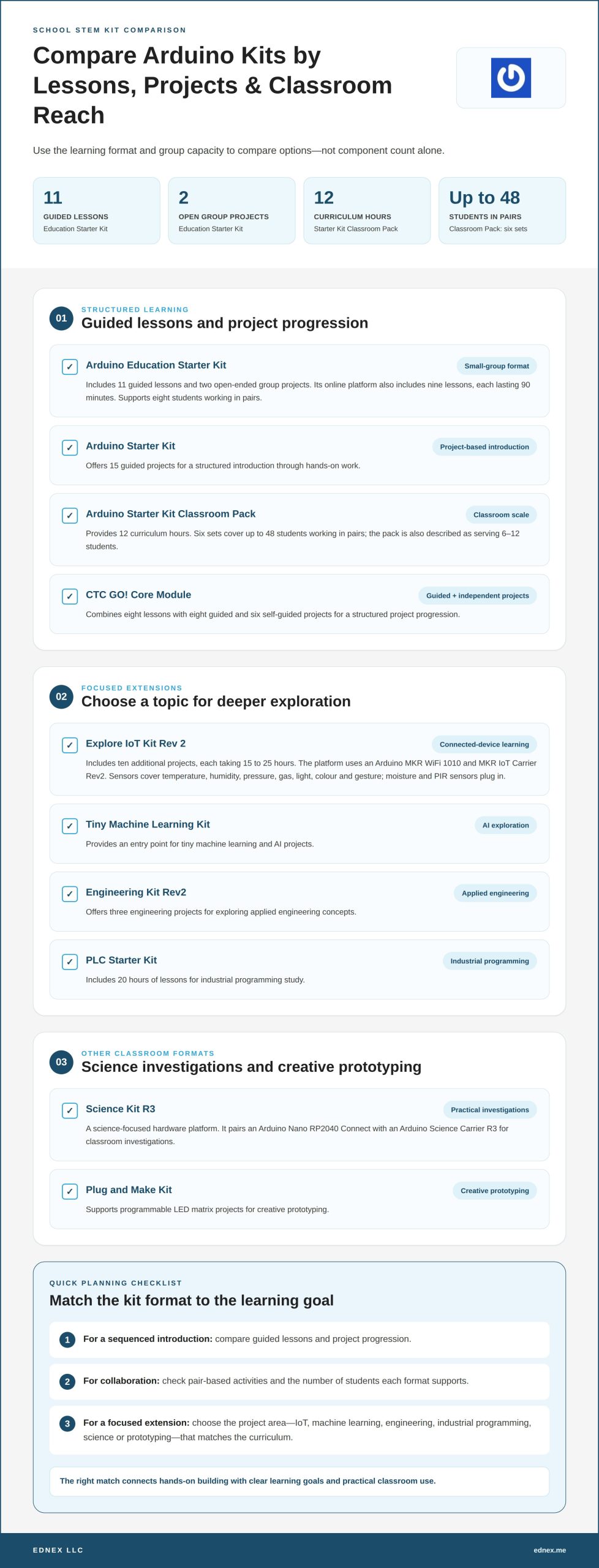
For structured introductions, compare Arduino kits by lesson sequence, project independence and classroom collaboration. The Arduino Education Starter Kit includes 11 guided lessons, while its online platform includes nine lessons lasting 90 minutes each. It also offers two open-ended group projects, giving learners room to apply concepts collaboratively.
The Arduino Starter Kit includes 15 guided projects, and the Classroom Pack provides 12 curriculum hours. The Arduino Education Starter Kit supports eight students working in pairs. The Starter Kit Classroom Pack is described as serving 6-12 students; its six sets cover up to 48 students working in pairs. These capacities help schools plan distribution and teamwork.
| Option | Learning materials | Classroom use |
|---|---|---|
| Education Starter Kit | 11 guided lessons; two open projects | Eight students in pairs |
| Starter Kit | 15 guided projects | Project-based introduction |
| Starter Kit Classroom Pack | 12 curriculum hours | Six sets; up to 48 in pairs |
| CTC GO! Core Module | Eight lessons, eight guided and six self-guided projects | Structured project progression |
| Explore IoT Kit Rev 2 | Ten additional projects, 15 to 25 hours each | Connected-device learning |
| Tiny Machine Learning Kit | Tiny machine learning and AI projects | Introductory AI exploration |
| Engineering Kit Rev2 | Three engineering projects | Applied engineering concepts |
| PLC Starter Kit | 20 hours of lessons | Industrial programming study |
| Science Kit R3 | Science-focused hardware platform | Practical investigations |
| Plug and Make Kit | Programmable LED matrix projects | Creative prototyping |
For engineering concepts, the Engineering Kit Rev2 offers three projects, while the PLC Starter Kit provides a 20-hour course. For connected-device work, project-based activities can provide a focused extension. The Tiny Machine Learning Kit gives a named entry point for AI projects.
Choose guided lessons for a sequenced introduction, pair-based activities for collaboration, or IoT and machine-learning projects for focused extensions. Match the format to your curriculum and the students who will use each kit.
The Arduino Education Starter Kit and Starter Kit Classroom Pack combine structured learning with classroom-oriented group capacity. The Education Starter Kit has 11 guided lessons and supports eight students working in pairs; the Classroom Pack provides 12 curriculum hours and can serve up to 48 students working in pairs.
Arduino Alvik robotics and coding
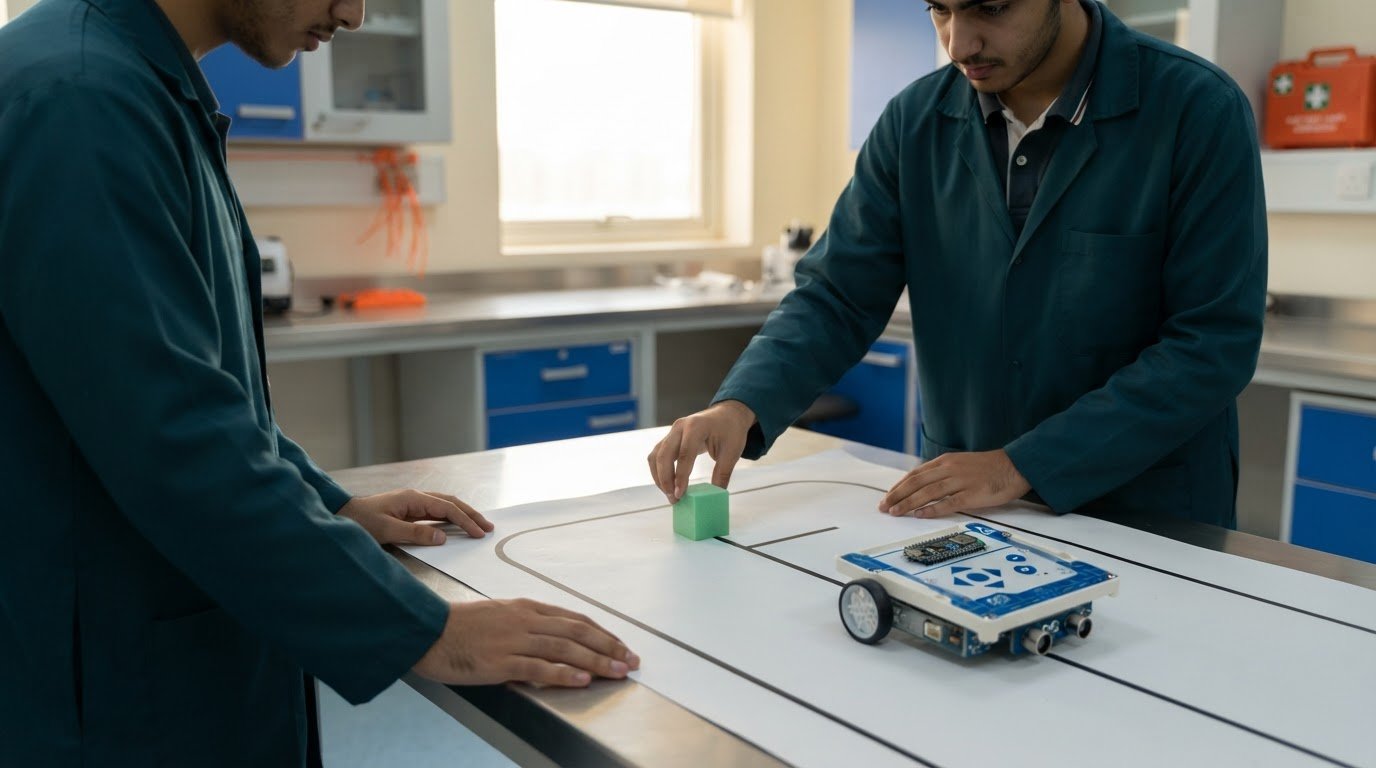
Among the Top Arduino Education Kits for Schools, Arduino Alvik offers a practical introduction to robotics through coding challenges. Students can plan a route, break it into instructions and refine their code when the robot responds differently than expected. This process connects computational thinking with testing and iteration.
Arduino programming uses a simplified form of C++, and the provided information describes it as accessible to students aged 8-10. Students don’t need advanced coding skills to begin. They can develop foundational skills through examples involving ordered instructions, repeated actions and simple condition-based decisions. These concepts help students explain why a program behaves differently after a change.
Students can start with basic sequencing and progress to loops, conditions and debugging. Arduino’s online learning platform supports lesson-based study, while projects let learners apply programming concepts in context.
Teachers can structure an Alvik activity as a focused engineering investigation:
- Define: Set a clear task, such as reaching a marked destination.
- Plan: Translate the route into smaller instructions before coding.
- Test: Run the program and record where its behaviour differs from the plan.
- Revise: Change one instruction, then compare the next run.
This cycle makes debugging visible. A missed turn becomes evidence to discuss, not a reason to restart without analysis. In pairs, one learner can describe the intended sequence while the other inspects the code. They can switch roles during the next test.
When comparing the Top Arduino Education Kits for Schools, assess whether the robotics activities connect coding concepts to testable tasks. A route challenge works well as an introductory activity; a longer project can ask teams to refine instructions as constraints change. Prioritise opportunities for students to explain decisions, test revisions and apply engineering reasoning. This progression turns a robot activity into a structured learning experience.
Arduino educational hardware and components
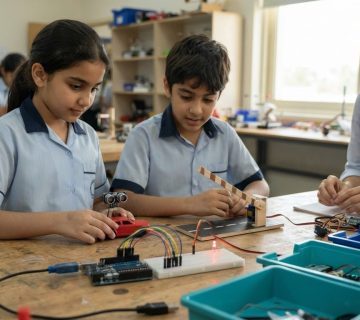
The Arduino Education Starter Kit combines hardware and software for classroom learning. Each kit includes four breadboards, which students can use to assemble and revise circuit prototypes. Its supported group size is eight students working in pairs. The Starter Kit Classroom Pack contains six sets and covers up to 48 students working in pairs. These are distinct formats: one kit supports a small group, while the pack scales hands-on work across a larger class.
For schools comparing components, the Explore IoT Kit Rev 2 has a defined connected-device platform: an Arduino MKR WiFi 1010 and an MKR IoT Carrier Rev2. Its sensors cover temperature, humidity, pressure, gas, light, colour and gesture. Moisture and PIR sensors plug in, extending the range of possible investigations. For example, students can connect sensor readings to questions about environmental conditions or movement.
The Science Kit R3 pairs an Arduino Nano RP2040 Connect with an Arduino Science Carrier R3, providing a platform for science-oriented classroom investigations. The Plug and Make Kit uses an Arduino UNO R4 WiFi with a 12×8 programmable LED matrix. That matrix creates a direct route into visual outputs, such as displaying simple patterns from a program.
For industrial control studies, the Arduino PLC Starter Kit supports five programming languages defined by the IEC 61131-3 standard. This makes it a different choice from breadboard-based prototyping: its focus is programmable logic control and language exploration. Match the hardware to the intended learning task, whether students are assembling circuits, interpreting sensor inputs, creating visual outputs or studying control systems.
In short, the Starter Kit includes classroom hardware and software, including four breadboards; the Classroom Pack includes six sets for up to 48 students working in pairs. For higher education, Arduino Education can align component choices with engineering and laboratory learning objectives.
Arduino kits for STEM education
The best STEM choice depends on learners’ stage, lesson goals and classroom format. Compare the materials and project types, then match the kit to the skills students need to practise.
Arduino Kits for School Levels
For 2026, consider the Starter Kit for guided introductions, CTC GO! Core Module for structured projects, and Explore IoT Kit Rev 2 for connected-device work. The Engineering Kit Rev2 suits applied engineering exploration. These options differ in focus, so “best” means the closest fit to your curriculum, not one universal winner.
Arduino programming is described as accessible to students aged 8-10, but this does not establish a hardware age rating. Primary classes can begin with guided, observable tasks; middle school learners can extend projects through testing and revision. High school students can explore engineering, IoT or industrial-control applications.
LEGO Education takes a construction-based approach, while micro:bit focuses on compact computing. Arduino supports board-based programming and electronics exploration. For easier classroom planning, look for sequenced lessons and defined projects. Lesson materials can support delivery, but teacher training is a separate consideration, not a feature to assume.
Cost, Discounts, and School Precautions
Kit costs depend on the hardware, learning materials and number of classroom sets selected. School or bulk discounts vary by seller, so compare the full classroom requirement rather than assuming a discount applies. A kit with more components may not be suitable if its activities go beyond the intended curriculum.
For electronics precautions, have students follow the kit instructions, handle components carefully and disconnect power before changing circuit connections. Keep teacher supervision appropriate to the activity. Programming suitability for ages 8-10 should not be treated as a safety certification or a replacement for reviewing the kit’s age guidance.
For a school programme that connects kit selection with structured robotics learning, explore robotics and coding for schools.
Up to 75% of instructors observe better problem-solving among students using Arduino kits. Treat that figure as one consideration alongside whether activities fit lesson aims, available supervision and students’ experience. A practical review of project instructions and component demands can help teachers decide whether a kit supports the intended classroom work before adopting it across a programme.
Ednex: Robotics and Coding for schools
Ednex LLC connects kit selection with a broader learning pathway through its Robotics and Coding for schools and Arduino Education offerings. These are suited to schools looking to link hands-on builds with structured coding and classroom learning goals.
For learners who need activities beyond the school day, After-School STEM Programs can extend practical exploration. STEAM Programs offer a broader framework for connecting technology with creative problem-solving. The next step depends on whether your priority is a focused robotics and coding programme or wider STEM learning.
Contact Ednex LLC to discuss robotics, coding or STEM learning for your school.
Turn classroom plans into lasting capability
Choosing among the Top Arduino Education Kits for Schools is a starting point, not the destination. The greater opportunity is to make practical technology learning part of a coherent pathway, with each challenge building students’ confidence in designing, testing and refining ideas.
For schools and colleges in Abu Dhabi, that path can begin with a clear decision: identify the capabilities learners should develop, then shape classroom activities around those goals. A thoughtful programme gives educators room to connect experimentation with wider ambitions for STEM learning, while helping students see themselves as active problem-solvers.
Ednex LLC can help schools translate those ambitions into an education pathway. Contact Ednex LLC about school kits to discuss a direction for your learning environment.
Build the next step with purpose and give future-ready learning room to grow.
Related Posts ...


Comments are disabled