











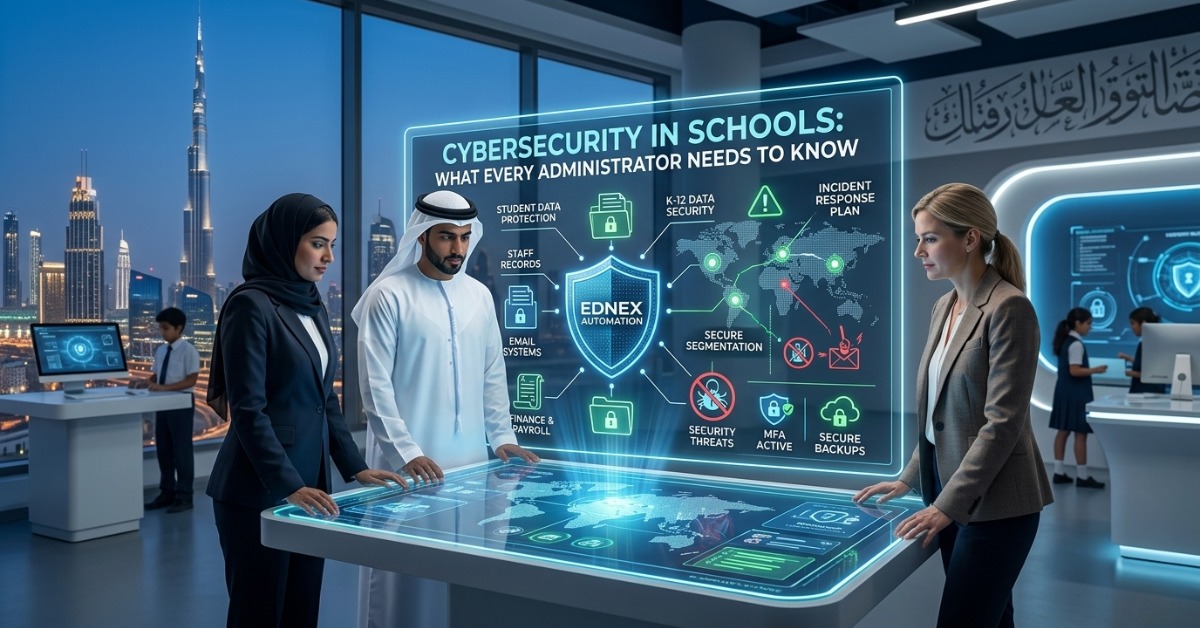
Cybersecurity in Schools: What Every Administrator Needs to Know
School leaders are now expected to manage more than academics, staffing, and operations. They also need to protect student data, staff records, financial systems, and connected learning platforms. That is why cybersecurity in schools has become a leadership issue, not just an IT issue.
A single weak password, outdated device, or phishing email can disrupt classes, expose sensitive records, or lock staff out of critical systems. For administrators across the UAE & GCC, the stakes are even higher as schools adopt more digital tools, cloud platforms, smart devices, and connected campuses. In this guide, you will learn why school cybersecurity matters, the most common threats schools face, and the practical steps administrators can take to improve protection without making daily operations harder.
Why Cybersecurity in Schools Matters More Than Ever
Cybersecurity in education is no longer optional. Schools hold a surprising amount of sensitive data, and much of it is valuable to attackers.
This often includes:
- Student personal records
- Parent contact details
- Attendance and assessment data
- Health and safeguarding information
- Staff payroll and HR records
- Financial and procurement data
- Login credentials for school systems
Unlike many businesses, schools also have large numbers of users with different levels of digital awareness. Students, teachers, administrators, vendors, and parents may all interact with the same systems in different ways. That creates more entry points for risk.
For school leaders, poor security can lead to:
- Learning disruption
- Data loss or theft
- Financial fraud
- Reputational damage
- Compliance issues
- Parent concerns and loss of trust
The key point is simple: K-12 data security protects both school operations and the people behind the data.
What Makes Schools Vulnerable to Cyber Threats
To improve protection, administrators first need to understand why schools are frequent targets. Attackers often look for environments with high-value data and weaker defenses. Many schools fit that profile.
Large Digital Footprints
Most schools now use multiple systems at once. A typical campus may rely on:
- Learning management systems
- Student information systems
- Finance and HR software
- Email platforms
- Cloud storage
- CCTV and access control tools
- Student devices and staff laptops
- Smart classroom technologies
Each platform adds value, but each one can also increase exposure if it is not managed well.
Limited Internal IT Capacity
Some schools have strong internal IT teams. Many do not. In smaller or mid-sized institutions, one team may be expected to handle infrastructure, troubleshooting, classroom technology, support tickets, and security at the same time.
That often means security gaps such as:
- Delayed software updates
- Weak password practices
- Incomplete device monitoring
- Poor user access controls
- Limited incident response planning
High User Volume and Human Error
Even strong systems can fail when users make simple mistakes. A staff member may click a fake link. A student may share credentials. A vendor account may stay active longer than needed.
This is why cyber safety for educational institutions must include both technology and user awareness.
Common Cybersecurity Threats Facing Schools
Administrators do not need deep technical knowledge to make better decisions. But they do need a clear view of the main threats.
Phishing Attacks
Phishing is one of the most common school cybersecurity risks. It usually starts with an email that looks legitimate but is designed to steal login details or install malicious software.
Examples include:
- Fake fee payment notices
- Messages pretending to be from the principal or finance office
- Password reset requests
- False courier or invoice notifications
One click can compromise an account or expose internal systems.
Ransomware
Ransomware is malware that locks files or systems until a payment is made. For schools, this can shut down access to lesson materials, attendance records, finance systems, and communication tools.
The real cost is not only the ransom demand. It is also:
- Lost teaching time
- Emergency IT recovery
- Reputational damage
- Delayed exams or reporting
- Stress for staff and families
Weak Passwords and Account Misuse
Many breaches happen because of weak or reused passwords. Shared logins can make the problem worse. If one account is compromised, attackers may be able to move across multiple systems.
Unsecured Devices and Networks
A school network often includes desktops, laptops, tablets, printers, cameras, servers, and guest access points. If these are not monitored, segmented, and updated, they create easy openings for attackers.
This is where school network security becomes essential.
Insider Risks
Not every threat comes from outside. Risks can also come from accidental internal misuse, former employees with active access, or poor handling of sensitive records.
The Administrator’s Role in School Cybersecurity
Many administrators assume cybersecurity belongs only to the IT department. That is a mistake. Technical teams manage tools, but leadership sets priorities, funding, policy, and accountability.
Administrators play a direct role in:
- Approving cybersecurity budgets
- Setting data protection expectations
- Enforcing access and device policies
- Supporting staff training
- Choosing trusted vendors
- Leading incident communication
- Making cybersecurity part of school governance
If leadership treats security as an afterthought, the rest of the organization usually does the same. Stronger IT security for schools starts when administrators make it a strategic priority.
Core Areas Every School Should Protect
If you want to improve cybersecurity in schools, start by focusing on the areas with the highest risk and greatest operational value.
1. Student and Staff Data
Sensitive records should only be accessible to authorized users. That means schools need clear role-based access, secure storage, and regular reviews of who can see what.
Protect data such as:
- Student IDs and academic records
- Medical or counseling information
- Staff contracts and payroll data
- Parent contact information
2. Email Systems
Email is often the front door for cyber attacks. Strong filtering, login protection, and user awareness training can reduce risk significantly.
3. Financial Systems
Fee collection, payroll, procurement, and vendor payments are common targets for fraud. These systems should have extra approval controls and limited access.
4. Connected Campuses
Modern campuses often depend on smart systems like biometric access, surveillance, and IoT devices. These tools improve operations, but they also need protection, patching, and monitoring.
Practical School Cybersecurity Solutions Administrators Can Start Now
This section is where action matters most. The good news is that many effective school cybersecurity solutions are practical and scalable.
Build a Basic Cybersecurity Framework
Every school should have a simple security structure that covers people, systems, and response planning.
At minimum, this should include:
- Password and access policies
- Device management rules
- Backup procedures
- Staff training
- Incident reporting steps
- Vendor security checks
You do not need an overly complex framework to begin. You need one that is clear, used, and reviewed.
Use Multi-Factor Authentication
Multi-factor authentication adds a second step to login, such as a mobile code or app approval. This can stop many account takeover attempts, even if passwords are stolen.
Prioritize it for:
- School leadership accounts
- Finance and HR users
- IT administrators
- Email accounts
- Cloud platforms
Strengthen Access Control
Not everyone needs access to everything. Review user roles regularly and remove access when staff leave or change responsibilities.
A simple checklist helps:
- Give access based on role
- Remove unused accounts
- Avoid shared logins
- Review vendor access
- Limit admin privileges
Secure Backups
Backups are critical for recovery after ransomware, deletion, or system failure. Schools should keep regular backups and test them.
Good practice includes:
- Automated backup schedules
- Secure offsite or cloud backup storage
- Backup testing
- Clear restoration procedures
Segment the Network
A segmented network separates critical systems from general traffic. For example, student Wi-Fi should not sit on the same unrestricted environment as finance or administrative systems.
This improves school network security by limiting how far an attacker can move after entering one area.
Keep Systems Updated
Old software is one of the easiest ways attackers get in. Patch management should cover:
- Operating systems
- Learning platforms
- Firewalls and network equipment
- Antivirus tools
- Classroom devices
- Smart campus systems
Staff Training Is One of the Best Defenses
Technology alone will not solve the problem. School staff need to know what safe behavior looks like.
Training should be short, practical, and repeated. It should cover:
- How to spot phishing emails
- What to do after clicking a suspicious link
- Safe password habits
- Secure handling of student data
- How to report incidents quickly
A simple example: if a finance officer receives an urgent request to change a vendor bank account, they should verify it through a second channel before acting. That one habit can prevent fraud.
For many schools, this is one of the most cost-effective ways to improve cyber safety for educational institutions.
How to Create an Incident Response Plan
Even strong schools can face security incidents. What matters is how quickly and clearly the school responds.
A basic incident response plan should answer:
- Who needs to be informed first?
- Who leads the technical response?
- When should leadership be involved?
- How will parents or staff be notified if needed?
- How will evidence be preserved?
- How will operations continue during recovery?
Keep the Plan Practical
A useful school plan does not need to be long. It needs to be actionable.
Include:
- Named roles and backup contacts
- Escalation steps
- External IT or vendor contacts
- Communication templates
- Recovery priorities
Run a tabletop exercise once or twice a year. Even a short scenario discussion can reveal serious gaps.
Questions to Ask Vendors and Technology Partners
Many schools rely on third-party systems for learning, finance, communication, and administration. That makes vendor review a key part of IT security for schools.
Before adopting a platform, ask:
- How is data stored and protected?
- Where is the data hosted?
- Is multi-factor authentication supported?
- How are security updates handled?
- What happens if there is a breach?
- Who owns the data?
- How is access removed when contracts end?
A good vendor should be able to answer clearly. If they cannot, that is a warning sign.
Common Mistakes Administrators Should Avoid
Schools often make the same security mistakes, even with good intentions. Avoiding them can save time, money, and risk.
Common pitfalls include:
- Treating cybersecurity as only an IT issue
- Using shared staff accounts
- Failing to review user access
- Skipping regular backups
- Delaying updates and patches
- Choosing platforms without vendor checks
- Offering staff training only once
- Lacking a response plan
The best improvement usually comes from steady, basic discipline rather than expensive tools alone.
FAQ
1. Why is cybersecurity in schools so important?
Schools manage sensitive student, staff, and financial data. A cyber incident can disrupt learning, expose records, and damage trust with families and staff.
2. What are the biggest cyber threats schools face?
Common threats include phishing, ransomware, weak passwords, unsecured devices, insider misuse, and attacks on school network security.
3. What is the first step administrators should take?
Start with a basic cybersecurity review. Identify critical systems, who has access, where sensitive data is stored, and what protections already exist.
4. How can schools improve K-12 data security without a huge budget?
Focus first on high-impact steps such as multi-factor authentication, staff awareness training, secure backups, regular updates, and tighter access controls.
5. How often should staff receive cybersecurity training?
Training should happen regularly, not once a year only. Short refreshers throughout the year are usually more effective than one long session.
6. What are examples of school cybersecurity solutions?
Examples include email filtering, endpoint protection, network segmentation, multi-factor authentication, backup systems, access reviews, and incident response planning.
7. Why does school network security matter so much?
The network connects critical school systems. If it is not protected properly, attackers may gain access to student data, finance systems, and administrative tools.
8. Should school leaders be involved in cybersecurity decisions?
Yes. Administrators control budgets, policy, vendor approval, and crisis response. Strong leadership is essential for effective cybersecurity in schools.
Conclusion
Strong cybersecurity in schools is not built through one product or one policy. It comes from a clear plan, informed leadership, trained staff, protected systems, and regular review. For administrators in the UAE & GCC, the goal is not just to prevent attacks. It is to keep teaching running, protect sensitive records, and maintain trust across the school community.
Start with the basics: review access, strengthen login security, train staff, secure backups, and create a response plan. Those steps will give your school a stronger foundation and make future security decisions much easier.
Author Bio
Ednex helps schools adopt smarter, safer, and more effective education technology. With a focus on practical implementation, Ednex supports school leaders in building secure digital environments, improving classroom technology strategies, and making informed decisions that support long-term educational success.
Related Posts ...




Comments are disabled